Tuesday, February 9, 2010

Ancestry.com Bloggers Day: Content

Last year I intended to do stupendously rich articles about Ancestry.com Bloggers Day presentations. Since I never got around to it, this year you’re getting my stupidously poor notes.

With lunch just past, was Ancestry.com going to keep us awake during siesta hour? First up was Gary Gibbs, vice president of U.S. Content. His energetic presentation did the trick.

  • Developing and working to bring a constant flow of records
  • Upwards of $10 million annually on content.
  • Worldwide content acquisition
    • Canada, Provo, UKI,… [I didn’t get the whole list in my notes, but I believe it included all countries with Ancestry.com offices:]…, Germany, France, China, Australia
  • Domestically, have three people negotiating with state archives and vital records offices
    (Brian Peterson, Quinton Atkinson, and Al Viera)
  • Big new announcement is on the horizon
  • Archives’ digitization priorities spreadsheet
  • Terms of a typical agreement:
    • Digitize collections
    • Available on Ancestry.com
    • Available for free at the archive
    • The archive receives digital copies
    • Ancestry.com has an exclusive period during which the archive can’t offer the records to other organizations
  • For 2009
    • Delivered 29 of the top 30 promised content
    • Another came out near the beginning of 2010
    • The last one, land records, is coming in Q1 2010. It was delayed by the decision to key all the names on cadastral/land ownership maps.
  • Customers are attaching records to their trees at an accelerated rate since the addition of member connection features
    • Total of 400 million at the end of 2009
    • 150 million at the end of 2008
    • 50 million at the end of 2007
    • Started with 0 on 2 August 2006
    • Currently experiencing 5 million attaches a week
  • Iowa State Census for 1915 and 1925U.S. records coming in 2010 (see the Ancestry.com web announcement for more information and for International records)
    • 1920 census improved
    • Early census years 1790-1840. First every field keying.
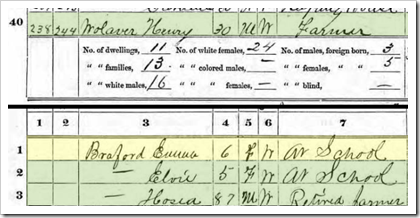
    • State and Territory Census Records (pictured to the right) †
    • 1950 census substitute (2,500 city directories in 48 states)
    • DDD (Deaf, Dumb, Dehydrated) censuses *
    • Historic public records & voter registrations (1930s-1980s, 700 million records)
    • U.S. Citizenship ApplicationConnecticut Divorce Records (1969-1997)
    • Delaware BMD (1800s-1933)
    • Missouri death records (1910-1958) †
    • Hayes Library Ohio Death Index (1830-2009)
    • Vermont vital records, 1909-2003
    • U.S. funeral home and cemetery records †
    • Naturalization records (1795-1972) (pictured to the left) †
    • Boston, Honolulu and New Orleans passenger lists (1899-1957) †
    • Revolutionary War CMSR, pension, bounty land applications †
    • Returns from U.S. Military Posts in 21 states (1800-1916) †
    • Navy muster rolls (1900s) †
    • Civil War Pension Application and WWII Draft CardCivil War Union draft registers and Confederate pension applications (pictured near right)
    • WWII 1942 draft records for Idaho, Oregon, and Washington (pictured far right)
    • US county land ownership maps (1860-1920)
    • McNeil Island and Atlanta Federal penitentiary records †
    • Yearbooks, 7 million names from 1900-2000
      * Not mentioned in the web announcement
      † This may have been mentioned on Bloggers Day, but my notes aren’t complete.
  • World Archives Project
    • 33.5 thousand contributors
    • From 92 countries
    • 31 partners
    • 45.3 [?]
    • 23 million records keyed in 2009 (counting each double keying)
    • Two people recruiting societies (Lou Szucs and Suzanne Russo-Adams)

Next time: I’ll finish up Gary Gibbs’s content presentation.

Gary Gibb of Ancestry.com Gary Gibbs is vice president of U.S. Content and is responsible for content acquisition and partnerships. He has worked for Ancestry.com for ten years in various roles, spending his first five years as vice president of product management. Gary has an extensive background in technology, having worked in product development and management roles at Novell, WordPerfect, and TenFold. He has bachelors and masters degrees in computer science from BYU and an MBA from the University of Utah.

Monday, February 8, 2010

See You at the St. George Family History Expo

Click to go to the St. George Family History Expo website #FHExpo stands for this month’s St. George Family History Expo, to be held in… (don’t get ahead of me now) …Timbuktu! Just kidding. It’s in St. George, Utah on 26th and 27th, February 2010.

Cafe Rio Mexican Grill started in St. George St. George is best known as the birthplace of Cafe Rio, a popular restaurant chain. What? You’ve never heard of Cafe Rio? Okay, maybe St. George isn’t best known as the birthplace of Cafe Rio. But if you haven’t heard of Cafe Rio, I recommend you check it out while you’re in town for the Expo. It’s a local favorite!

Amanda Righetti (as Grace Van Pelt) from The Mentalist was born in St. GeorgeSt. George is best known as the birthplace of Amanda Righetti who plays Grace Van Pelt on The Mentalist (seen in this photo with Tim Kang as Kimball Cho). Wait a minute. Now that I look at her biography on the show’s website, it says she was born “outside Las Vegas.” Hmmm. Maybe Righetti is not what St. George is best known for. If you eat unrefrigerated leftovers from Cafe Rio, you may have to check out of the hospital also.

I think it is safe to say that among genealogists, St. George is best known for the St. George Family History Expo! With its golf courses and Las Vegasque weather, it’s the perfect place for a February conference.

Yours truly will be teaching, “Blog Your Way to Genealogical Success.” Having your own genealogy blog will give you a free, easy way to publish your results on the web, log your research, and establish contact with helpful relatives. This class is for beginners. You’ll get a step-by-step guide for successfully creating a blog. Prerequisites: You must know how to turn your computer on, use a mouse, and browse the Internet.

Mine is not the only session you’ll want to attend, of course. This conference is the perfect place to increase your genealogical maturity. Go to the show’s website. Review the presenter biographies. You’ll see national experts and local favorites.

Blogger-of-Honor2While I’m in town I’ll also be one of the Expo’s “Bloggers of Honor,” along with some of the industry’s best known. I am very honored. Native St. Georgers have, maybe, never seen a more popular chain of august bloggers than the group I have been asked to join.

Bernie Gracy, who writes the historicaltownmaps.com blog, will present the conference keynote. While he is perhaps best known for his lectures on location-based genealogy, in St. George this year he plans to give “an unconventional and hopefully motivational keynote, ‘Let Your Light Shine; Let Their Light Shine.’ ”

If you’re busy on the 26th and 27th and can’t make it to St. George, I will try to post notes live on Twitter. For information about following the St. George Family History Expo live on Twitter, see my August 2009 article, “The Ancestry ‘Tweety’ Insider.” But this month follow the hashtag, #FHExpo.

Thursday, February 4, 2010

Ancestry.com Bloggers Day: Lunch with Tim Sullivan

This is another in a series of reports about Ancestry.com Bloggers Day 2010.

We had lunch with Ancestry.com CEO, Tim Sullivan and general manager, Andrew Wait. Here’s my brief notes:

Andrew Wait told us that feedback from their My Story ads said the ads didn’t explain enough about what the genealogy experience was like. In fact, the life-changing stories set the bar so high that average people couldn’t identify with the experiences.

As a result, five days earlier Ancestry.com started a new advertizing campaign that goes back to the previous style a bit.

Tim Sullivan asked us if we had any questions for him. When there was a half-second pause, he said if we didn’t have any questions, he had questions for us. Then he asked us…  uh…  …something. I don’t actually remember what it was. My notes are devoid of anything Sullivan said. Sorry, Tim! I did jot down some comments from my fellow writers:

DearMYRTLE said, “Genealogy is a winter sport.” Does that mean Tim asked if we were seeing an upswing in genealogical interest?

iPhoneTreeToGoAt some point Andrew said, “Try a Twitter search of ‘Ancestry.com.’ You’ll see lots of positive feedback.” I think that means several of us expressed appreciation that Ancestry.com had taken the time to meet with us and said our opinions of Ancestry.com were much improved. I think someone even contrasted the day with the infamous “Internet Biographical Database” fiasco. [To read more on that subject, I recommend the series of articles by fellow attendee, Craig Manson.]

I can’t remember what led to my favorite comment of the day. Thomas MacEntee said, “I’ve always thought of genealogy as CSI without the icky bodies.” Mysteries. Dead people. Detective work. Yup; I think he nailed that one pretty well.

The final note I have on lunch was Andrew’s announcement that Ancestry.com had submitted “Tree to Go,” an iPhone application which would be available soon in the iPhone store. [Ancestry.com announced the application to the public on 19 January 2010.]


Who did Ancestry.com throw at us right after lunch? We were hoping it would be someone who could keep us awake. We were not disappointed. Stay tuned…


Ancestry Bios Tim Sullivan Tim Sullivan is the CEO of Ancestry.com, Inc. He was previously CEO of Match.com. Under Tim’s leadership, Match.com expanded globally into 29 local languages and grew paid subscribers from 189,500 to nearly one million while growing revenue more than six-fold. Prior to joining Match.com, Tim was vice president of e-commerce for Ticketmaster Online-Citysearch, Inc. Before that he spent seven years at the Walt Disney Company where he was vice president and managing director for Buena Vista Home Entertainment Asia Pacific. Tim is a graduate of Harvard Business School and was a Morehead Scholar at the University of North Carolina at Chapel Hill.

Wednesday, February 3, 2010

Vault Vednesday: Open House

Public tours at the GMRVThe public were invited to tour the awesome caverns of the Granite Mountain Record Vault (GMRV) starting 4 December 1963. After the open house, the vault would be closed to the public.

Storage vaults were constructed between about 120 and 350 feet into the mountain. Each of six vaults is about 200 feet long, extending 27 feet wide, and reaching over 15 feet high. The tunnels were lined with heavy corrugated steel and concrete was pumped in to fill the space between the steel and the granite tunnel walls.

NGS Conference Church Library Open House

The Church History Library is a state-of-the-art archival library for the Church of Jesus Christ of Latter-day Saints. It just opened in June 2009. See fascinating demonstrations of the latest conservation methods for photographs, sound recordings, and aging books. The archive uses high-density, climate controlled storage vaults for old manuscripts, photographs, maps, books, Church records, and other artifacts.

The tour is included in your conference registration for no extra cost. For a sneak peak of what you will see on the tour, click this link and then click the play button.

2010 NGS Family History ConferenceEarly bird registration must be postmarked by 8 March 2010. There are just 36 days left.
Pre-registration must be postmarked by 12 April 2010. There are just 71 days left.
The conference begins 28 April 2010. There are just 87 days left.

This is another in a series highlighting the Granite Mountain Record Vault (GMRV) and the NGS Family History Conference coming to Salt Lake City, 28 April—1 May 2010.


Sources

      Dexter Ellis, "Inspection Tours Set for Records Vaults in Canyon," Deseret News (Salt Lake City, Utah), 30 November 1963, Church News section, p. 3, cols. 2-5; digital images (http://news.google
.com/newspapers : accessed 25 December 2009). 
     "Church Invites Public To Visit Cottonwood Genealogy Vaults," Deseret News (Salt Lake City, Utah), 2 December 1963, p. B 5, cols. 6-8; digital images (http://news.google.com/newspapers : accessed 25 December 2009). Also see “Deep Vaults to Protect Church Files,” Los Angeles Times, 2 December 1963, p. b15; and “Plan to Show Record Vault of Mormons,” Chicago Tribune, 2 December 1963, p. C16.
     "Vault Toured By Church, Civic Leaders," Deseret News (Salt Lake City, Utah), 3 December 1963, p. 12 B, col. 1; digital images (http://news.google.com/newspapers : accessed 25 December 2009).
     The Genealogical Society of the Church of Jesus Christ of Latter-day Saints, Records Protection in an Uncertain World, 16 p. brochure ([Salt Lake City, Utah: self-published, 1973).

Tuesday, February 2, 2010

Ancestry.com Bloggers Day: Technology (Part 2)

Last year I intended to do stupendously rich articles about Ancestry.com Bloggers Day presentations. Since I never got around to it, this year you’re getting my stupidously poor notes.

Mike Wolfgramm and Jonathan Young gave us the last presentation prior to lunch. Yesterday we talked about Dexter, the flexible content digitization pipeline. Today we will talk about:

  • Named entity extraction
  • Vertical [unique to Ancestry.com] search engine
  • Record linking
  • Hint engine – technology behind the shaky leaf
  • PersonRank – Search engine that powers Mundia (pronounced, “Moon-dia”)

Named entity extraction

Named entity extraction derives facts from unstructured data using advanced algorithms to find names, dates, and places. As I mentioned yesterday, computers are very stupid. Ancestry.com uses machine learning to train the system to identify names, dates, and places.

Having these facts separate makes the records searchable.

Wolfgramm and Young showed us the example below. I’ve circled items in these colors:

  • Name of Deceased: Lime green
  • Age at Death: Yellow
  • Death Date: Orange
  • Obituary Date: Red
  • Locations Mentioned: Purple and pink (we’ll see why I used two colors in a moment)
  • Other Persons Mentioned: Green

JeanHessObit

Below I’ve included the corresponding record from the Ancestry.com U.S. Obituary Collection. I’ve circled items with the same colors as above so you can easily compare the two. As you can see, the algorithm did pretty darn well, for a stupid computer. It got the name of the deceased wrong, but did pick it up in the list of others mentioned. It got the obituary publication date wrong. The algorithm missed three locations (circled in purple): California, San Bernardino County, and Deplaines, although that last one is probably a misspelling of Des Plaines. It got the seven locations circled in pink. Lastly, it picked up all six names of other people.

Jean Hess Obituary Record from Victorville Daily Press

Interestingly, this same, exact obituary also appeared in another newspaper and was picked up by Ancestry.com a year earlier. Back then, the performance of their named entity extraction technology apparently didn’t work as well. Notice in the record, below, that no names were picked up.

Jean Hess Obituary Record from Barstow Desert Dispatch

I asked why the dates were displayed ambiguously, rather than spelling the month out. Wolfgramm explained that they received the data from a third party in that format. He told us that they could fix the problem. Sure enough, within a couple of days, Ancestry.com had the problem fixed. Wow! I wish I could get all bugs fixed that fast!

Vertical Search engine

The problem:

  • Variations in names, dates and places
  • Need to apply name authority (name alternatives)
  • In 1841 UK census ages of those over 15 were usually rounded down to next 0 or 5
  • Rogers, 1985 study found 15% of birth places differ between 1851 and 1861 censuses
  • Significant number of recording and transcription errors
  • Searching 4+ billion records quickly is a challenge

The solution is a vertical search engine that can measure closeness:

  • typographically
  • phonetically
  • date proximity
  • place proximity
  • fuzzy matching

Record Linking

  • Example: How do 3 tree records relate to each other?
  • [I can’t remember how this differed from PersonRank, below.]

Hint Engine

  • Leverages search technology and record linking
  • Computationally expensive – built with a scalable architecture
  • Key collaborative networking technology – don’t have to do brute force compare between all people in all trees when users establish links between trees
  • Acceptance vs. rejection of hints allows algorithmic improvements.
  • Slightly over 80% of hints are accepted.
  • Hint-originated searches are usually more effective because of the additional search information taken from the tree

PersonRank

  • PersonRank is the algorithm used to determine if two individuals in different trees are the same person
  • Q. Is PersonRank used only between tree individuals?
    A. It was Initially, but it is used now for all tree hints.
  • Q. Is it used for regular searches?
    A. No. Perhaps in the future.

Finally! We made it to lunch time! Lunch was with Tim Sullivan and Andrew Wait.